
Here is the step-by-step guide for programming a smart key for the Renault Kardian (also referred to as “Kardia”). The procedure uses a gateway bypass module and Xtool programming tools such as the Xtool X100 PAD Max, Xtool X100 PAD3, New XP3, or Xtool PAD Elite.
Required Equipment
Before starting, ensure you have:
Battery stabilizer – Essential to prevent voltage drops during the lengthy programming process.
Gateway bypass module– A 40‑pin harness that bypasses the vehicle’s gateway module without removing the BCM (Body Control Module). The OBDSTAR 40-pin cable works fine with Xtool devices.
Xtool programming device (X100 PAD Max, X100 Pad3, New XP3, or X100 PAD Elite) with updated software (version 27.30 or later).
VCI interface (wired connection recommended – Bluetooth is slower and less reliable).
Internet connection for the programming device.
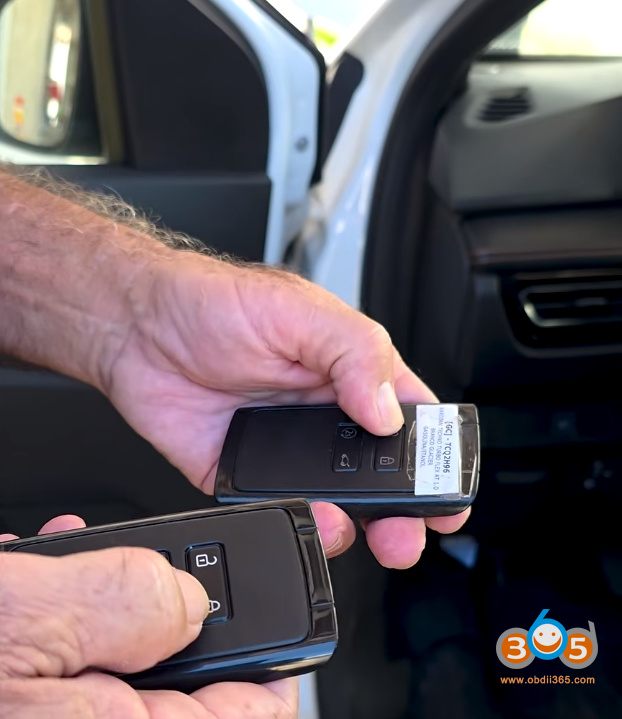
Original key (if available) and new blank keys (Renault 4A chip type – here uses a Duster key that works perfectly on the Kardian).
Vehicle Information
Model: Renault Kardian (also compatible with other 2026 models)
System: Smart key / proximity key
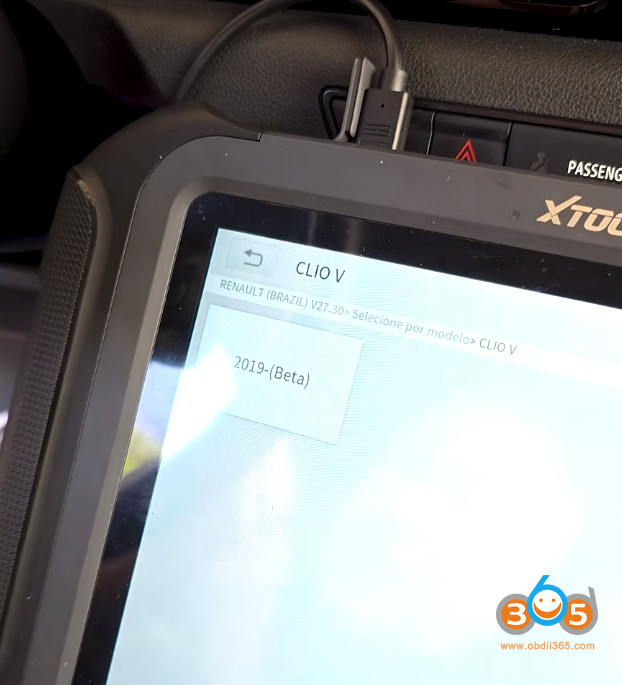
Year range: 2019 and newer (beta function)
Key type: 4A chip
This procedure will also work (or is being tested) for:
Renault Boreal
Nissan Kicks 2026
Mitsubishi SX 2026
New Mitsubishi L200 / L300

Step 1: Prepare the Vehicle
Connect the battery stabilizer to maintain steady voltage. The process takes time, and a voltage drop can fail the programming or damage modules.
Install the gateway bypass module:
Locate the vehicle’s gateway module.
Disconnect the original harness and connect the 40‑pin bypass cable without removing the BCM.
One end connects to the gateway, another to the diagnostic port.
The walkthrough notes that this bypass is not yet widely available in Brazil but can be ordered via the presenter’s link.
It’s very easy – there’s no way to make a mistake. You don’t need to remove the BCM.

Step 2: Connect the Programmer
Connect the VCI (Vehicle Communication Interface) to the OBD2 port.
Use a wired connection – Bluetooth is too slow for this job.
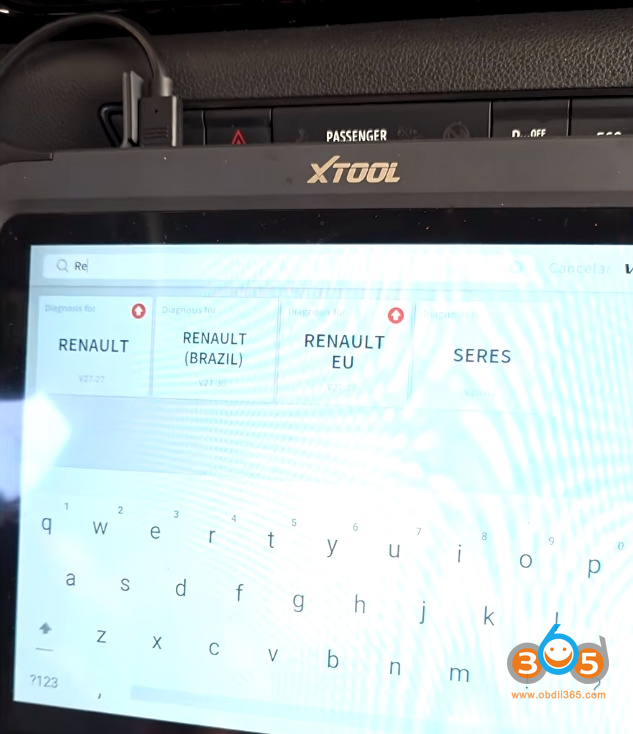
On the Xtool device, navigate to:
Renault → Renault Brazil → Version 27.30
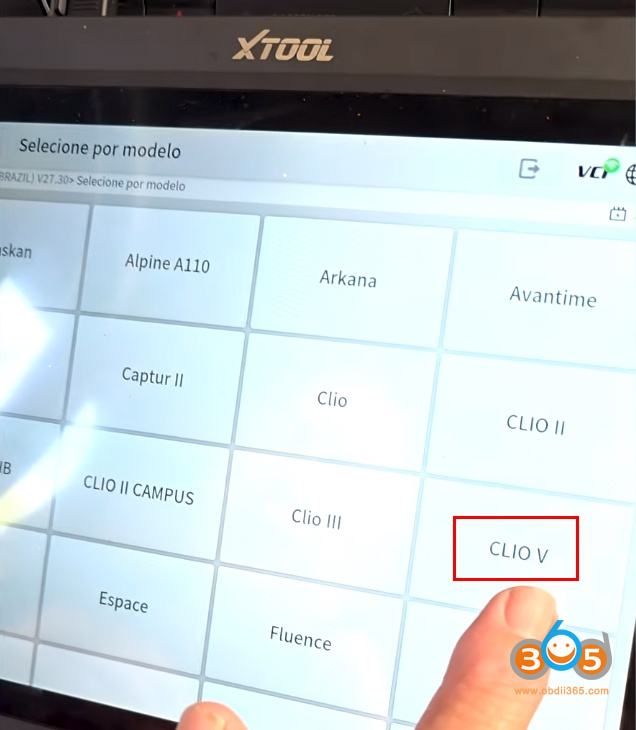
Select by model → Clio 5 (the platform for this vehicle).
The function is labeled beta and covers 2019 and newer vehicles.
This function is not only for this vehicle – it also works for other new Renault system vehicles.


Step 3: Start the Programming Function
The system will:
Detect that a gateway bypass is required.
Confirm that the dedicated gateway harness is connected (as you already installed it).
Available options include:
Add key
All keys lost
Make dealer key
Read number of keys
Check existing keys:
Select Read number of keys.
The vehicle should show one key stored (if the original is present).


Step 4: Read the 28‑Digit PIN and Backup EPROM
Select Add key.
The system warns: “This function will erase all keys.” This is normal.
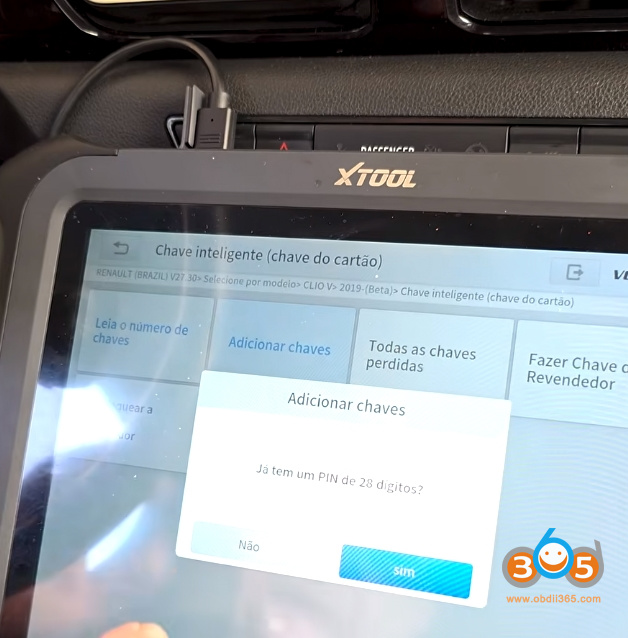
The programmer will ask if you have the 28‑digit PIN. Select No (the tool will read it).
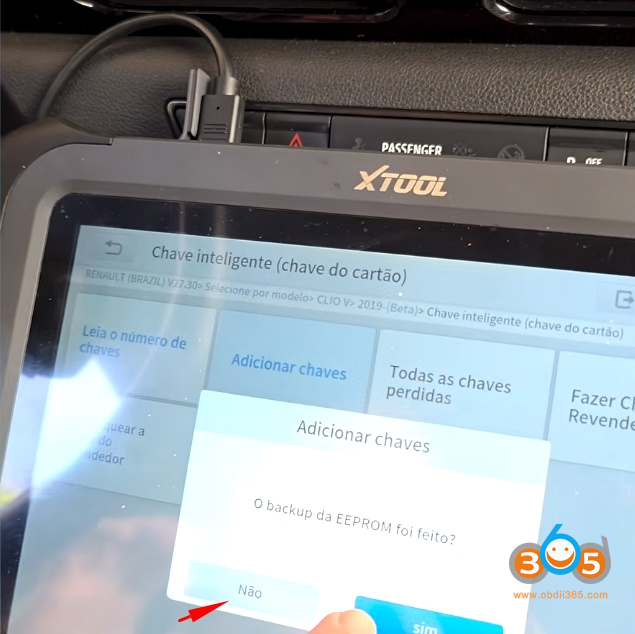
It will ask if an EPROM backup was made. Select No (the tool will create one automatically).
Use the original key to turn on the ignition (press start button with the key inside the vehicle).
Confirm.
The programmer will now:
Communicate with the vehicle.
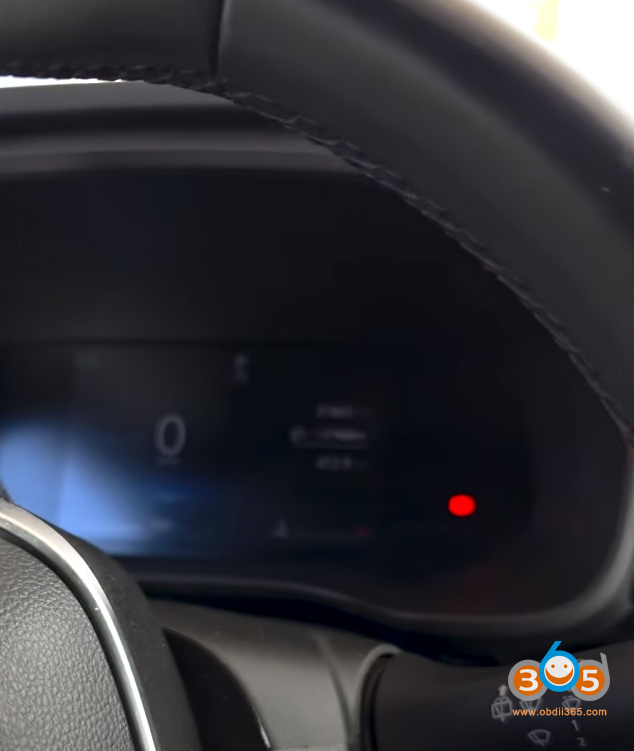
Read the flash data (the dashboard will turn off during this phase – this is normal).
Display messages like “checking anti‑theft” – do not be alarmed.
The dashboard turns off by itself. Does this cause panic for you? No, none at all. Stay calm.


Step 5: Internet Connection and PIN Retrieval
Once the data is read:
The tool will request an internet connection (if not already connected).
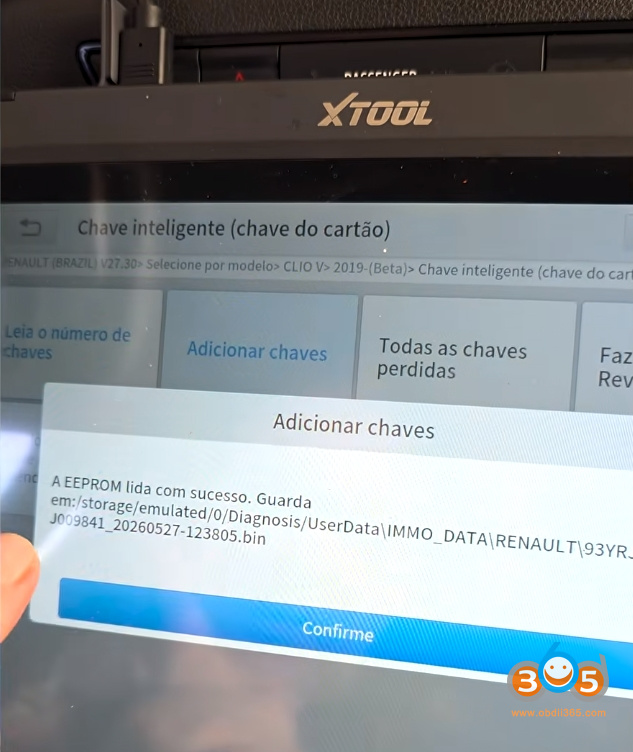
It will save the flash data with the current date and time.
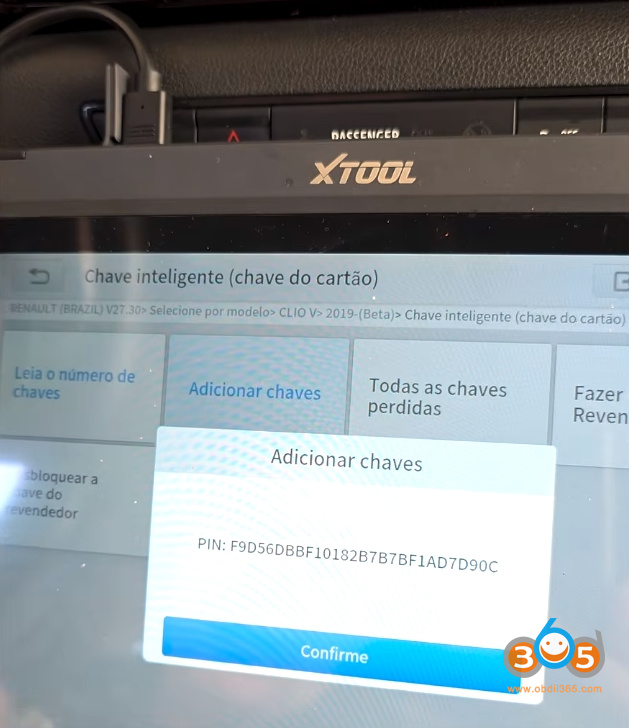
Then it will display the 28‑digit PIN.
Important: Take a photo or write down the 28‑digit PIN immediately. You will need it for dealer key generation.
From here, you take a photo of this – because the function is still finalizing some things.


Step 6: Program the Keys
Before programming:
You normally need to create a dealer key first. However, the presenter notes that creating a dealer key consumes a blank key. In the demonstration, he skips that step to save keys and proceeds directly to programming (after having already prepared a dealer key earlier).
Programming steps:
The tool will instruct you to:
Turn off the ignition.
Remove the key (not applicable for push‑start, but follow the prompt).
Turn on the hazard lights.
Confirm.
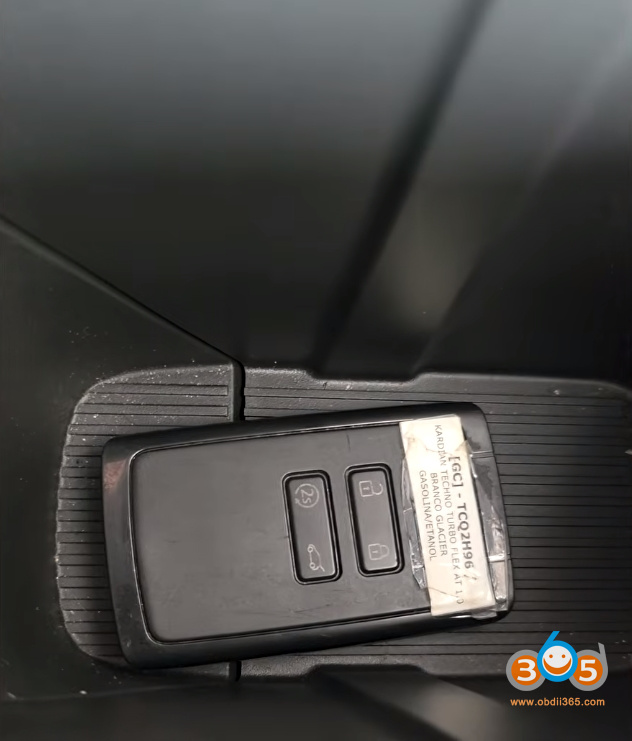
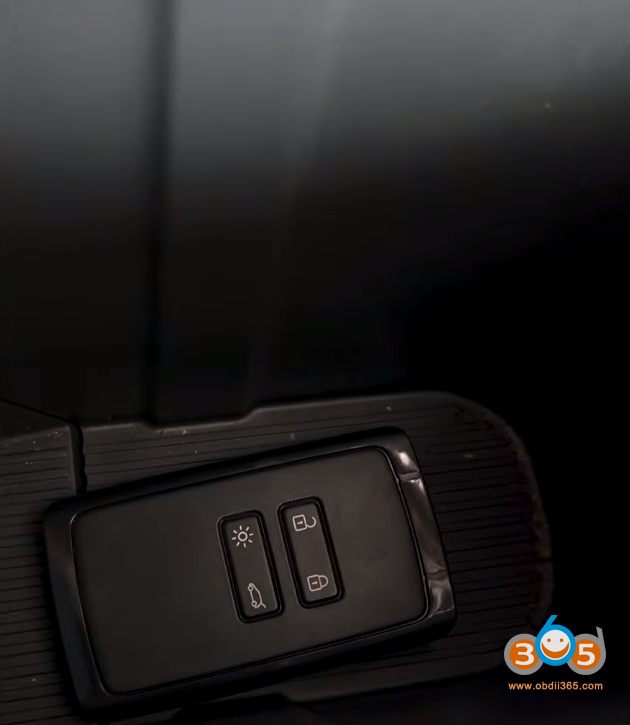
Place the working key in the induction area (the smart key reader pocket).
On the Renault Kardian, the induction area is a small recess (often near the cup holders or center console).The tool will program that key successfully.
It will ask: “Do you want to program another key?”
Select Yes.
Place the new blank key in the same induction area.
Confirm.
The tool will display: “Programmed successfully.”
When finished, select No when asked if you want to program more keys.
Both are 4A. Both work perfectly.


Step 7: Testing
After programming:
Test remote locking/unlocking.
Test push‑button start.
Check that the radio and other systems function normally.
Both keys worked flawlessly.
Important Tips & Warnings
1. Keep the vehicle stabilized
The process takes a significant amount of time.
A dying battery can ruin the programming and potentially damage modules.
Always use a battery stabilizer.
2. Keep your equipment updated
The presenter emphasizes that updates are crucial.
Even if an update seems expensive, losing one or two jobs per month costs more than the subscription.
One or two jobs you lose per month is double the monthly fee you would pay for an update. It doesn’t make sense to have expensive equipment that isn’t updated.
3. Perform a pre‑scan
Before starting any long programming job, check the vehicle:
Are all locks working?
Are there any warning lights already on?
This protects you from customer claims that you caused new problems.
4. Don’t panic during the process
The dashboard will turn off temporarily.
The car will be inoperative during the flash writing phase.
This is normal and safe with Xtool equipment.
Final Summary
| Step | Action |
|---|---|
| 1 | Connect battery stabilizer |
| 2 | Install Renault/Nissan gateway bypass (40‑pin) |
| 3 | Connect Xtool programmer via wired VCI |
| 4 | Select Renault Brazil → Clio 5 (beta) |
| 5 | Read number of keys → Add key |
| 6 | Let the tool read flash and generate 28‑digit PIN |
| 7 | Follow prompts (hazard lights, induction area) |
| 8 | Program working key first, then new blank |
| 9 | Test both keys |
With the right equipment, updated software, and the gateway bypass, the Renault Kardian smart key can be programmed reliably – even for all‑keys‑lost situations. The same system will soon support multiple 2026 models from Renault, Nissan, and Mitsubishi.

No comments:
Post a Comment