Thursday, May 5, 2022

Xtool X100 PAD3 Adds 2022 Dodge Durango Proximity

 Autel IM508 failed to read for 2022 Dodge Durango but the xtool x100 pad3 did the job perfectly.

I’m using the bypass.

Xtool X100 PAD3 Adds 2022 Dodge Durango Proximity 1

1. Read PIN

Go to Immobilizer-Durango-2014-2020- Read PIN Code- 2015 up

Xtool X100 PAD3 Adds 2022 Dodge Durango Proximity 2

Xtool X100 PAD3 Adds 2022 Dodge Durango Proximity 3

Read 4-digit pin success


2. Add proximity

Select Add Prox- 2018 up

Xtool X100 PAD3 Adds 2022 Dodge Durango Proximity 4

Xtool X100 PAD3 Adds 2022 Dodge Durango Proximity 5

Xtool X100 PAD3 Adds 2022 Dodge Durango Proximity 6

Turn on emergency indicators and switch the ignition off

Xtool X100 PAD3 Adds 2022 Dodge Durango Proximity 7

Xtool X100 PAD3 Adds 2022 Dodge Durango Proximity 8

Place the smart key near the center console, then press Unlock button within 30 seconds

Xtool X100 PAD3 Adds 2022 Dodge Durango Proximity 9
program success

Xtool X100 PAD3 Adds 2022 Dodge Durango Proximity 10

Xtool X100 PAD3 Adds 2022 Dodge Durango Proximity 11

The new proximity key is working fine.

www.obdii365.com

Wednesday, March 2, 2022

Xtool Program 2018+ Chrysler FCA Proximity

 Xtool tech now released 2018+ Chrysler Dodge Jeep proximity smart key programming functions as well. Here is the programming instruction.


Tools you need:
Xtool key programming tablets (X100 PAD3/X100 PAD Elite)
Chrysler 12+8 SGW Bypass cable
WiFi connection

Xtool Program 2018+ Chrysler FCA Proximity 1

How to Connect 12+8 Adapter:

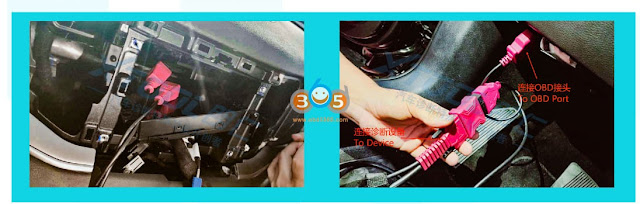
Find the SGW module, take the 12-PIN connector and the 8-PIN connector off, then connect these connectors to the Bypass cable.
Here is an example on a 2018+ Jeep Grand Commander.

Xtool Program 2018+ Chrysler FCA Proximity  2

Xtool Program 2018+ Chrysler FCA Proximity 3

For other models, check the SGM Location.

When connecting to STAR connector
The STAR connector used for Security Gateway is always colored green, and has several connectors attached to them.

To connect the cable to a STAR connector, plug the pins into the connectors. The connecting pin locations may vary between different models, take the 2021 Dodge Challenger as an example

Xtool Program 2018+ Chrysler FCA Proximity 4

in this situation, we connect the read pin into the green wire and the black pin into the yellow wire.


Program process:
Take a 2020 Jeep Wrangler with a smart key as an example.
1. Open the diagnosis app and go through this menu:
Jeep- Proximity/Fobik (RFH)- Wrangler 18-
Xtool X100 PAD 3 will ask to make sure the main cable and SGW bypass cable are connected.

Xtool Program 2018+ Chrysler FCA Proximity 5


2. Before programming, we suggest reading the key number that is registered on the car. Press the Number of Keys menu to check the key number

Xtool Program 2018+ Chrysler FCA Proximity 6

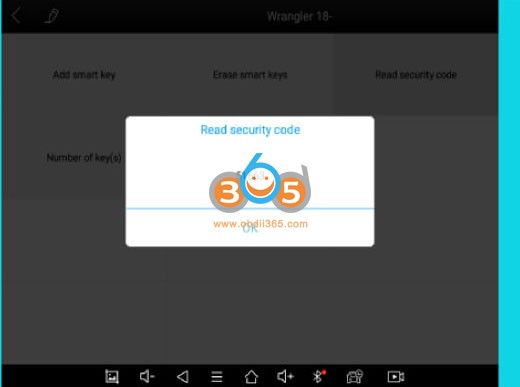
3. When key programming, the vehicle needs s security code to verify the process. Read the security code first.
Make sure you are connected to the internet. Then click Read security code menu.

Xtool Program 2018+ Chrysler FCA Proximity 7

4. Read security code success

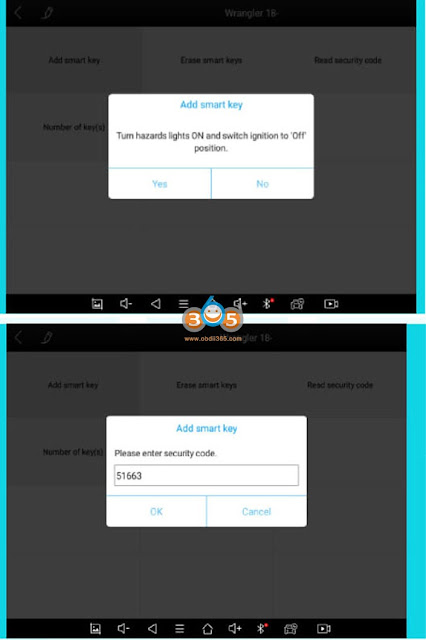
5. Press Add smart key to start key programming.
Follow the instructions on the device, turn emergency indicators and switch the ignition off,
*This menu is also applied to all keys lost situation.

Xtool Program 2018+ Chrysler FCA Proximity 8


6. Xtool will ask you for a security code. The device will automatically fill in the code.

Xtool Program 2018+ Chrysler FCA Proximity 9


7. Follow the instructions, put the key close to start button, then press and hold this button within 20 seconds until the device pops out the result, Press OK when you are ready for this process.

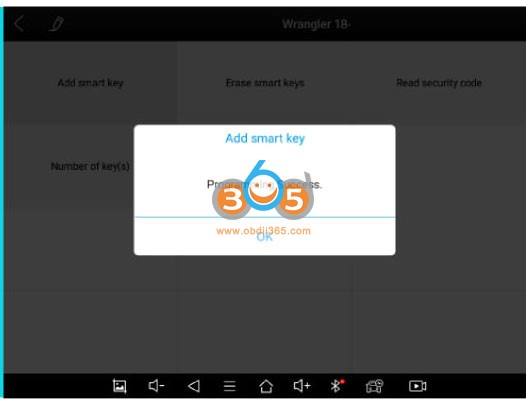
8. Programming success.

Xtool Program 2018+ Chrysler FCA Proximity 10

Related reading: Xtool Program Ford 2015+ Proximity AKL with active alarm

Program 2015 Up Ford All Keys Lost with Xtool Tablets

 Xtool tech released 2015 onwards new Ford proximity all keys lost with active alarm function as well.


Tools you need:
Xtool key programming tablets (X100 PAD3/X100 PAD Elite)
Ford AKL alarm bypass cable
WiFi connection


How to Connect:
1.Connect the main cable to the female obd2 socket of the Ford cable, and connect the tablet or VCI box to the other side of the main cable.2. Connect the male OBD2 socket of the Ford cable to the OBD port of the vehicle
3. Take the battery clip off from the car’s battery and connect the 2 battery clips to the battery
4 There is also a battery clip (read cable with ‘Battery Clip+’ tag on it) on the cable. Connect it to the positive battery clip on the car.

How it work?
Ford AKL Alarm Bypass Cable can:
Allows you to perform Ford smart key all keys lost via Xtool devices with a VCI Box
(H6 Pro, A80 Pro, X100 MAX etc)
Optimize the process on Ford smart key all keys lost via Xtool devices without a VCI box
(X100 PAD2, X100 PAD3, H6 Elite, D7/D8 etc)

Controls vehicle battery on/off with a switch on your hand and save your time from the repeating battery reconnecting process.

Program 2015 Up Ford All Keys Lost with Xtool 1

Programming Process:

Take a 2018 Ford Edge with an active alarm as an example and read its EEPROM data without any keys available
1. Make sure the cable is connected properly, the select
Ford V27.30 or higher- North American Ford- Smart key system- Edge- 2016-2020

2. Select All keys lost. Choose the menu depending by the status of the vehicle. Considering the alarm is on now, here we select ‘Alarm activation’

3. Open the door on the driver’s side. Use a screwdriver to jam the door latch on the locked position but keep it opening.
The door should keep open but locked until the entire process is done. When it is done, click OK to continue,

4. Select Reading EEPROM first

5. If the cable is connected, switch off the battery

6. The device will try read the EEPROM by communicating with the ECYU.
Switch on the battery and check if the alarm still goes on.

7. If the alarm still goes on, switch off the battery and wait for 10 seconds, then try switch off and on again

8. If the alarm is off, disconnect the cable to the battery, connect it back to battery clip of the car, tighten it, and close the hood, click OK to continue.

9. Reading EEPROM data. The process will take 10 minutes

10. WHen EEPROM reading is done. it will generate a bin file, Save file on Internal Storage folder.

*If you are using a device without VCI but not using the cable, you must remove/install the battery clip every time the device noted you to disconnect/reconnect to the battery.

Program 2015 Up Ford All Keys Lost with Xtool 2

Program 2015 Up Ford All Keys Lost with Xtool 3
http://www.key-programmer.org/2022/03/03/xtool-program-2015-ford-all-keys-lost-with-active-alarm/

Tuesday, January 25, 2022

How to Read VW Golf MK4 PIN with Xtool VAG401?

Here is a quick guide showing how to retrieve the SKC/PIN from the clusters immobilizer data on a VW Golf mk4 and then using that SKC to immo match some keys with the cheap $50 Xtool VAG401 scan tool. Using this method does not require vag-com.

We'm going to show you how to retrieve the skc slash pin from your MK4.

You're going to go all the way down to Special function on the xtool vag 401.

just roll down all the way to Read pin code hit enter

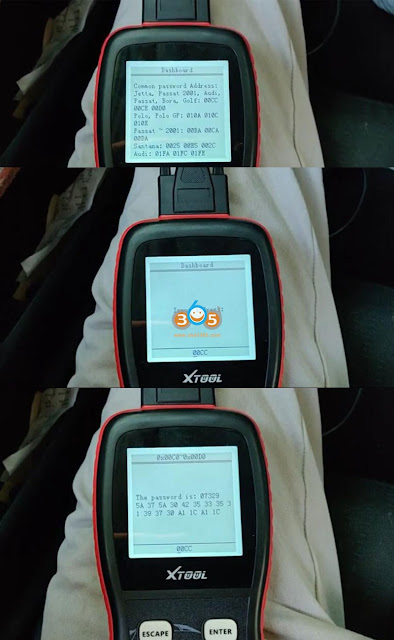
we're going to choose the Dashboard where the immobilizer data is stored

it'll hit connect, this process will take a minute but it's nothing too bad

here it's just giving you some information about the hexadecimal addresses where the passwords are usually stored

Read VW Golf MK4 PIN with Xtool VAG401 1

the mark for the Jetta Passat 2001 Audi, Passat, Bora, Golf, it's used between addresses of 00CC, 00CE and 00D0 to enter

on the next step what that means here's the address
so we're going to start with 00CC. this one in particular works for my car can't guarantee it'll work in your car

some clusters are different some years are different depending on if it's immobilizer 2 or 3

We're going to go with 00CC and boom there's your password

Read VW Golf MK4 PIN with Xtool VAG401 2

Immo matching procedure

Read VW Golf MK4 PIN with Xtool VAG401 3

so these are the two keys that I'm gonna be matching today

as you can see the one has a broken key blade. Both keys however have an immobilizer chip in them. That's good to be programmed to the car over here.

I have the scan tool I've got a pair of pliers to use the broken key blade.
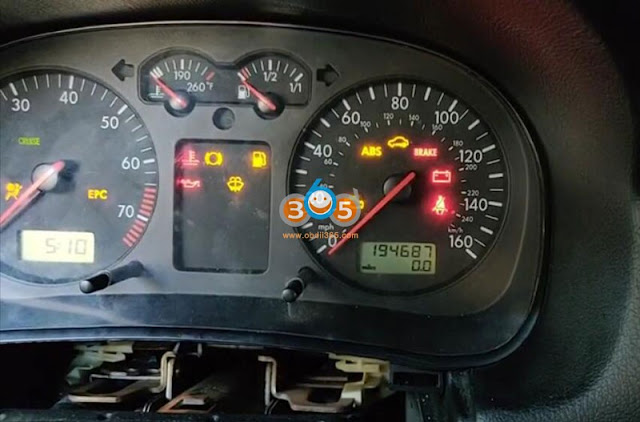
The first thing I want to do put that in turn the car on now granted because this car is not immobilizer and match to any keys right now

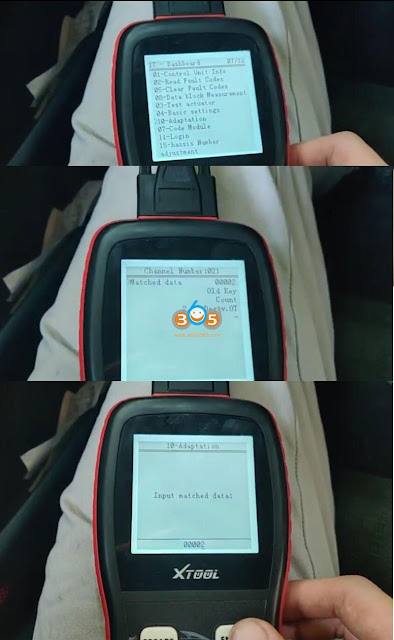
It's gonna have the immobilizer light blinking. So with that started go to the xtool v401 scan tool go Diagnose system-Common system- Dashboard number 17.

I believe in vag-com it's called instrument cluster or something like that just instruments enter
it'll connect takes a while, the scan tool is a little bit slow but overall it's pretty usable.

it'll show you the overview right here same as it would invade com

Read VW Golf MK4 PIN with Xtool VAG401 4

then these are all your abilities within that module you're gonna get on to login first.
and you're gonna use the pin that I showed you how to retrieve earlier.

it'll be a four-digit pin you need to add zero in front of it and that will make it a five-digit pin.
so for mine, it's going to be 0 7 3 2 9 enter the login. It is a success as long as the pin is right.

Read VW Golf MK4 PIN with Xtool VAG401 5

Read VW Golf MK4 PIN with Xtool VAG401 6

once that success will go back up to adaptation number 10. Once you go into the adaptation module you will notice that the immobilizer light should stay solid now it will be blinking assuming

that the key that's in it is not immobilizer matched.

Go over to channel 21 hit enter

now this is showing that it's matched currently to two keys

neither of these keys are the ones that are matched so you can just ignore that yours might show a different amount one two three however many you can have a maximum of eight keys programmed at a time.

Doing this will erase all keys that are matched currently so make sure that any keys that you want to keep you have with you to reprogram them in there.

Read VW Golf MK4 PIN with Xtool VAG401 7

Read VW Golf MK4 PIN with Xtool VAG401 8

I'm going to hit too. This will show how what you just put in

just hit yes

Enter and then I'll ask you again to confirm

once you hit this you have 60 seconds to match all the keys it'll immediately say adaptation successful.

What you have to do at that point is put the first key until it the immobilizer light goes out, power cycle the car and then put the next key in and power cycle it again until the immobilizer light goes out and you want to do that for however many keys you're doing again 1 2 3 whatever.

once you're done with that turn the car off remove the key unplug the scan tool and then test each key individually.

Read VW Golf MK4 PIN with Xtool VAG401 9

I'm gonna use the broken key first so there's the key next to the key ring hit enter for save match data the immobilizer light should go off pretty quickly power cycle the car bring the next key up do that until the immobilizer goes out again and then go ahead and power cycle the car off remove the key, remove the scan tool and use each key to confirm the broken one.

Then you'll just repeat that for every key that you have to make sure and that's all you need.  You're good to go.

www.obdii365.com

Thursday, January 13, 2022

Program 2018+ Nissan Sylphy/Sentra AKL with Xtool X100 PAD2/PAD3

 Here's the instruction on 2018+ Nissan Sylphy/Sentra all keys lost smart key programming with Xtool key programming tablets.


Tools you need:
Main Cable & OBD2-16 Connector
Stable Wi-Fi connection
PC or smartphone
xtool-2018-nissan-sylphy-sentra-akl
 
 
HOW TO CONNECT
No matter you're working on add key or AKL, key programming for 2018+ Nissan Sylphy/Sentra requires an extra CGW (Controller Gateway) adapter.
The CGW module for Nissan Sylphy/Sentra is located inside the driver-side footwell, above the pedals. To connect the vehicle to the device, pull out the wiring harness from the module, and connect it to the adapter.
 
The other side of the adapter connects to the main cable. Connect the main cable to the device and the adapter to start the full process.


PROGRAMMING PROCEDURE:
1. Open the diagnosis app, and go through these menus:
Diagnosis – Immobilization – NISSAN (V27.10 or later version) – Program keys – Select from vehicle – China(Only partially) – New Sylphy (B18) – Key matching (All key lost)
2. The software will pop up 2 notices. Please read carefully and make sure you have done all the processes before you get started.
3. After you clicked OK, this menu will show up. Now put a new key near the ignition switch, then press “Read key” to continue.
In all-key-lost situations, the original keys will be deleted in this process. If you only want to add keys, we suggest to use “Bypass” menu.
4. You can use this method to read 2 keys each time. If you want to program more keys please select “Add key” menu afterwards. Now we read 2 keys, then click “Next”.
5. Now the screen will pop up a notice. Please take a photo about the information it shows up, and go to the website shown on the screen.
Please leave this screen until you uploaded the calculate results to the server. Do not kill the APP. Do not turn off the screen. Do not disconnect the device to the car & network. Or the code will be invalid, and you will have to repeat the entire process.
6. Open the website using your smartphone or PC. It will show as follows (In Chinese; will add English version soon):
7. After input the serial number and the dynamic code shown on the tablet, you will see this:
8. Press the blue link to download the data. The data file you received will be started with “SupportData1”. Please note that now we can only calculate the data via 3rd party organizations so please send it to them.
9. When you received the calculated data from 3rd parties, the file will be started with “SupportData2”. Press the blue button to upload the data and the next page will show the results. The results will also be uploaded to the device, so you don’t need to type the results.
10. Now back to the tablet and press “OK”. The menu will show the keys as “Programmed”.
11. Put one of the programmed keys near the ignition switch. Click “Match key” and check the results.
 
If don't use the bypass adapter, you can also calculate PIN and program key with xtool, check guide here http://blog.obdii365.com/2021/10/20/2018-2020-nissan-kicks-calculate-pin-and-program-smart-proximity/

Sunday, December 26, 2021

Xtool X100 Pad2 Add Nissan Qashqai 2019 Key without PIN

 Nissan Qashqai 2019 is programmed successfully without reading pincode or releasing steering lock with xtool x100 pad2.

it’s my first time programming Qashqai 2019 so I want to share the tip.

Didn’t read pin code, directly program key open driver door and close it then push the start button, wait 5 seconds and job done.

The key is original not generated.

The car is imported from Europe.

Xtool X100 Pad2 Add Nissan Qashqai 2019 Key 1

Here is the xtool x100 pad2 NISSAN Qashqai Function List V27.14 claimed by the manufacture.


  1. Nissan Qashqai from China:

With smart key system (20 pincode): program smart keys.

Without smart key system (20pincode): program key


  1. Nissan Qashqai from Europe:


2007 -2009: program remote  – Fault code, erase DTC, program keys.


2009-2013: program remote – Erase DTC, program keys, release steering lock


2009-2013: Mechanical key – Erase DTC, program keys, release steering lock


2009-2013: Smart key system – program smart keys, erase all smart keys, program steering lock


2014 – : Immobilizer system  – Type1 – program smart keys


2014 -: Immobilizer system  – Type2 – program key

Xtool X100 Pad2 Add Nissan Qashqai 2019 Key 2

Xtool X100 Pad2 Add Nissan Qashqai 2019 Key 3

Good to know:

Obdstar X300 Pro4 / obdstar X300 DP Plus is also able to program Nissan Qashqai 2019 Prox all keys lost via obd.

Read procedure here: http://blog.obdii365.com/2021/12/09/obdstar-program-nissan-qashqai-2019-prox-all-keys-lost/

Tuesday, December 21, 2021

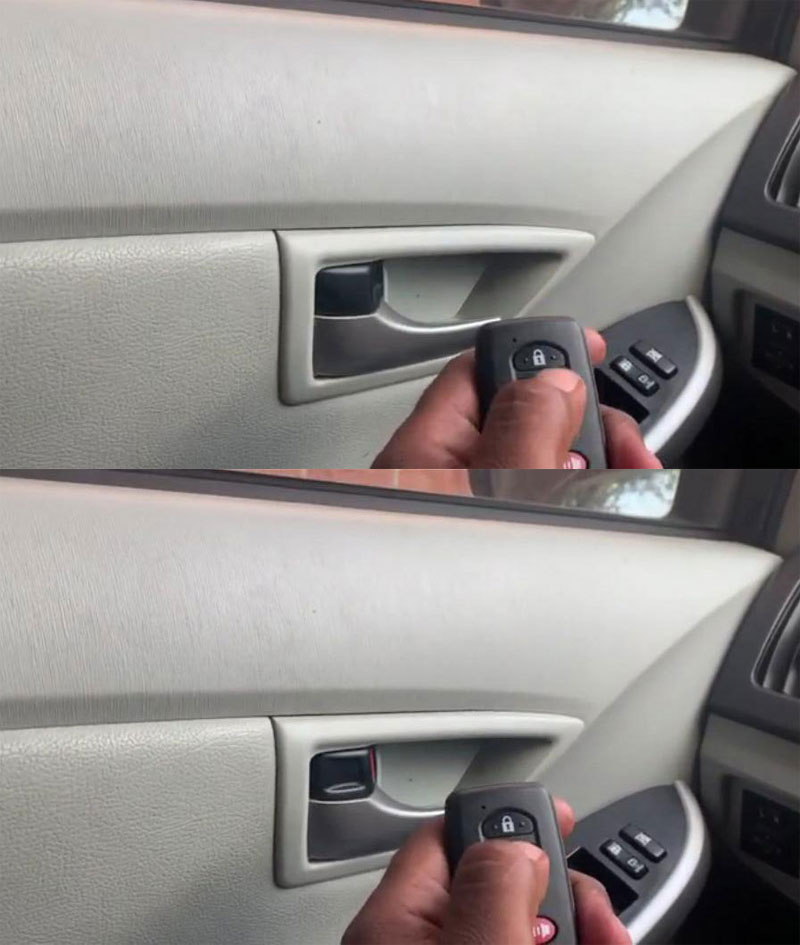
Program Toyota Prius 2014 All Keys Lost with Xtool X100 PAD

 How to program a new key for a 2014 Toyota Prius push start proximity all keys lost with xtool x100 pad (pad2/pad3) via OBD. The same procedure can be applied to Prius from year 2010 to 2018.


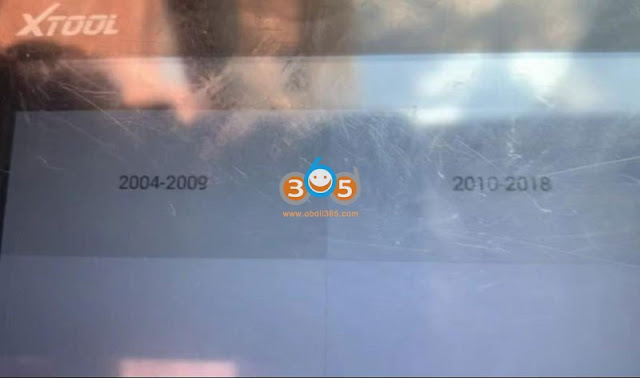
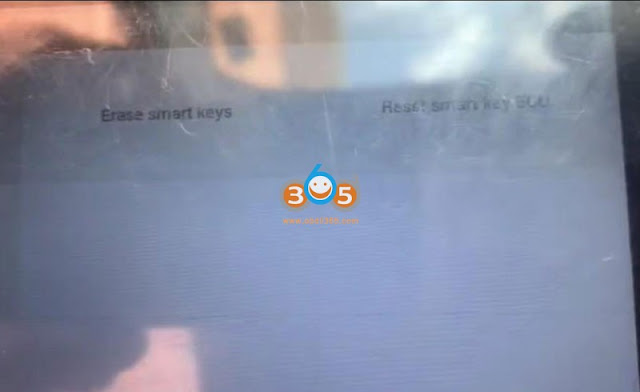
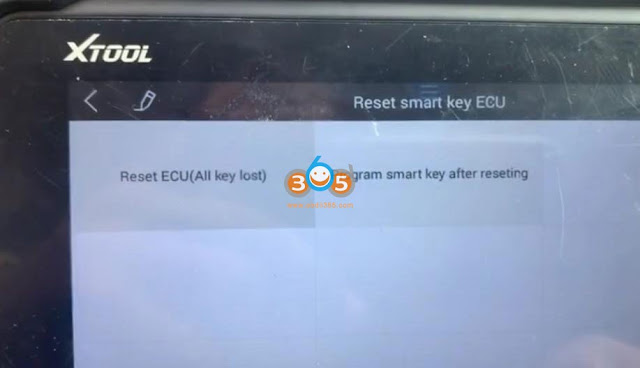
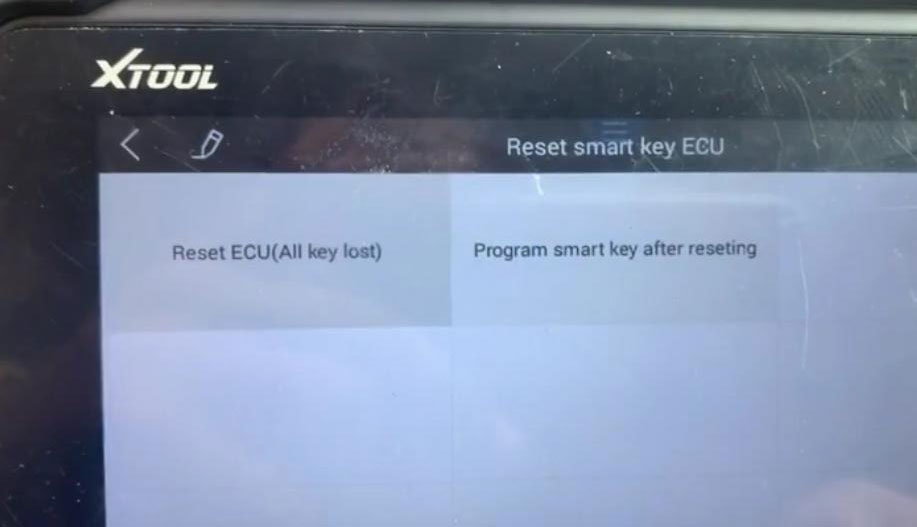
Select IMMO- Toyota- Key- By Vehicle- Prius- Proximity- 2010 to 2018- Reset Smart Key ecu (Smart Box)- Reste ECU (All keys lost)

Program Toyota Prius 2014 All Keys Lost with Xtool X100 PAD 1

Program Toyota Prius 2014 All Keys Lost with Xtool X100 PAD 2

Program Toyota Prius 2014 All Keys Lost with Xtool X100 PAD 3

Program Toyota Prius 2014 All Keys Lost with Xtool X100 PAD 4

Program Toyota Prius 2014 All Keys Lost with Xtool X100 PAD 5

Program Toyota Prius 2014 All Keys Lost with Xtool X100 PAD 6

Reset smart box takes about 16 minutes.

Program Toyota Prius 2014 All Keys Lost with Xtool X100 PAD 7

Program Toyota Prius 2014 All Keys Lost with Xtool X100 PAD 8

Reset smart box success

Program Toyota Prius 2014 All Keys Lost with Xtool X100 PAD 9
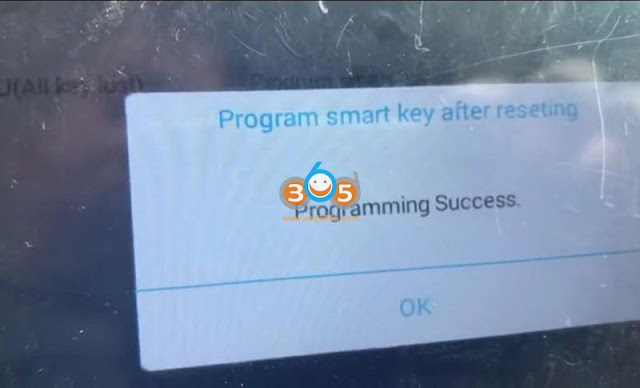
Select Program smart key after resetting

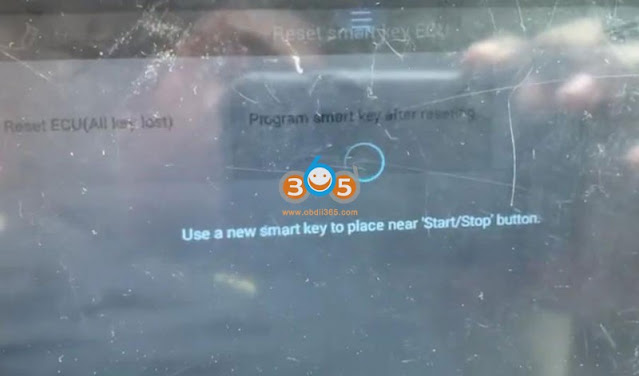
Put a new smart key to close the Start/Stop button

Program Toyota Prius 2014 All Keys Lost with Xtool X100 PAD 10

Program Toyota Prius 2014 All Keys Lost with Xtool X100 PAD 11

Program complete

Program Toyota Prius 2014 All Keys Lost with Xtool X100 PAD 12

Test new key

Program Toyota Prius 2014 All Keys Lost with Xtool X100 PAD 13

Program Toyota Prius 2014 All Keys Lost with Xtool X100 PAD 14

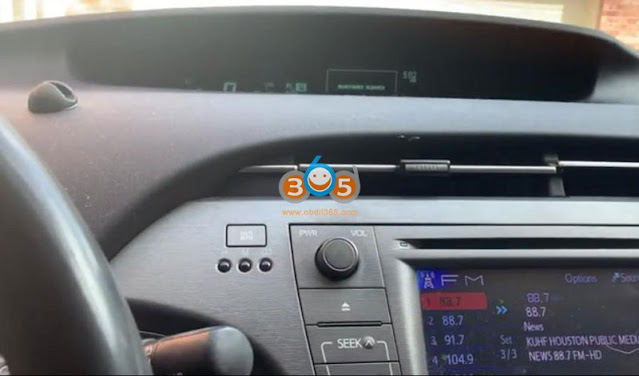
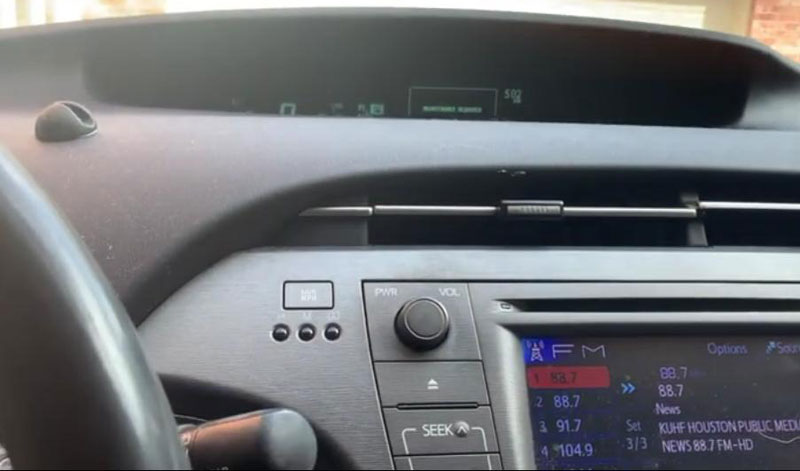
The new key can start the vehicle, remote control works as well.

Done.

http://www.key-programmer.org/2021/12/22/program-toyota-prius-2010-2018-all-keys-lost-with-xtool-x100-pad/