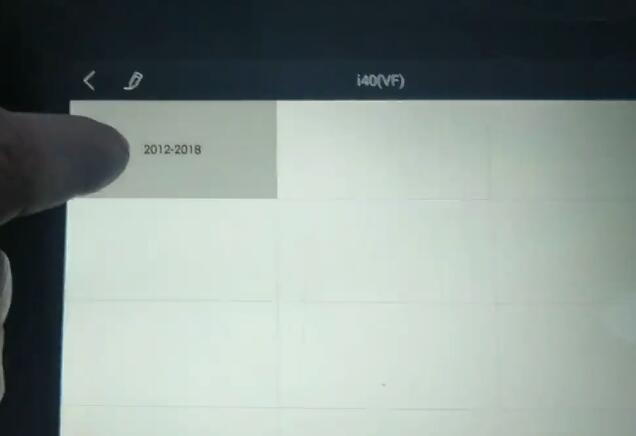
2015 Hyundai i40 estate remote programming by obd
Using xhorse remote and xtool x100 pad2.
Chip is 4d 70
Select from Vehilce-> General->i40 (VF)-2010 to 2018->Remote System->Program remotes
Does it want pin code?
Yes it does if programming chip.
No pin required for remote programming
So way to clone with vvdi key tool or keydiy.
www.obdii365.com
Thursday, March 19, 2020
Wednesday, March 18, 2020
Xtool X100 Pad2 Program Polo 6N 2001 All Keys Lost
VW Polo 6N 2001 all keys lost , pick decode Trunk by lishi, read immo get pin and program with Xtool x100 pad2. ID44 (7945 precode ID44) no way get right pin by obd with several tools.
2000- 2001 is ID44, before ID42. Pin get by reading immobox 24C04. No correct pin read by OBD.
Tuesday, March 17, 2020
Xtool X100 Pad2 Program KIA Soul 2011 All Keys Lost
KIA Soul 2011 all keys lost, read pin (ID46 Philips crypto) code and program 2 key with xtool x100 pad2 (pin also success with X300 pro4, Ikey820)
Monday, March 16, 2020
Xtool X100 Pad2 Adds 2014 Ford Kuga Prox Key
Programmed 2014 Ford kuga proximity key today using xhorse remote and xtool x100 pad2. Under China ford worked perfect about 2 mins including security access.
Done quite a few prox on Fords..xpad2 loves them.
Sunday, March 15, 2020
Saturday, March 14, 2020
Xtool X100 Pad2 Adds 2013 SantaFe Smart Key
2013 Hyundai SantaFe proximity added using Xhorse prox key and xtool x100 pad2.
no testers would pull pin...once I sourced the pin it worked great.
Friday, March 13, 2020
Xtool X100 Pad2 Adds Key to VW Polo 2015 MQB
VW polo 2015 MQB add key. Read immo data (was fast) and make dealer key - learn both keys in successfully with Xtool X100 Pad2.
I remember the customers key being a Q and my key (aftermarket) that worked is a BA.
Here's simple procedure:
VW - MQB Platform - READ IMMO DATA - (all immo data screen will pop up) - MAKE DEALER KEY (connect kc100 and read data from existing key, then insert blank key) - LEARN KEY (enter value 2) then turn ignition with key 1 (dash shows ‘1-2’) remove and turn ignition with key 2 (dash shows ‘2-2’) then remove key.
Process done. Press both remotes 3 or 4 times until it kicks in.
www.obdii365.com
I remember the customers key being a Q and my key (aftermarket) that worked is a BA.
Here's simple procedure:
VW - MQB Platform - READ IMMO DATA - (all immo data screen will pop up) - MAKE DEALER KEY (connect kc100 and read data from existing key, then insert blank key) - LEARN KEY (enter value 2) then turn ignition with key 1 (dash shows ‘1-2’) remove and turn ignition with key 2 (dash shows ‘2-2’) then remove key.
Process done. Press both remotes 3 or 4 times until it kicks in.
www.obdii365.com
Thursday, March 12, 2020
Program 2010 Fiat Punto All Keys Lost with Xtool X100 PAD2
How-to: program 2010 fiat Punto Evo All keys lost.
2010 fiat Punto Evo Delphi ID46 All keys lost
Decode lock with Lishi sip22.
Aftermarket key
Read 5-digit code no problem
Pre coded remote key.
Programmed new key including remote (normal one).
Success with xtool x100 pad2.
All work perfectly.
How to Pre code the key?
select Fiat->Europe->Punto->2006 to 2011->Pre-code key->Remote Key->All keys lost
And it's there on screen
pre code and asks in just chip or a remote key select remote key pre code done
The back and click all keys lost
And follow screen
Fast and easy.
Obviously must have kc100 to pre-code.
Credit to Mr. Brett.
www.obdii365.com
http://www.key-programmer.org/2020/03/13/how-to-program-2010-fiat-punto-evo-id46-all-keys-lost/
2010 fiat Punto Evo Delphi ID46 All keys lost
Decode lock with Lishi sip22.
Aftermarket key
Read 5-digit code no problem
Pre coded remote key.
Programmed new key including remote (normal one).
Success with xtool x100 pad2.
All work perfectly.
How to Pre code the key?
select Fiat->Europe->Punto->2006 to 2011->Pre-code key->Remote Key->All keys lost
And it's there on screen
pre code and asks in just chip or a remote key select remote key pre code done
The back and click all keys lost
And follow screen
Fast and easy.
Obviously must have kc100 to pre-code.
Credit to Mr. Brett.
www.obdii365.com
http://www.key-programmer.org/2020/03/13/how-to-program-2010-fiat-punto-evo-id46-all-keys-lost/
Wednesday, March 11, 2020
Xtool X100 Pad2 Program Mazda CX5 2016 Prox Key
Mazda cx5 2016
Id49 433mhz
Proxy key ( xhorse proximity ) programmed by xtool x100 pad2
Smooth easy
Wasn't sure if would work as it was
3 btn
Open / close and alarm.off
But xhorse remote work
Open / close and boot
so better than original
Credit to Mr. Chaddy Brett.
Id49 433mhz
Proxy key ( xhorse proximity ) programmed by xtool x100 pad2
Smooth easy
Wasn't sure if would work as it was
3 btn
Open / close and alarm.off
But xhorse remote work
Open / close and boot
so better than original
Credit to Mr. Chaddy Brett.
Thursday, February 27, 2020
How to Change Porsche Cayenne 2010 Mileage with Xtool H6
Here's the very simple step-by-step guide to change the mileage in Porsche Cayenne 2010 up using Xtool H6 full-system scanner via OBD.
You can easily change the mileage in the 911, Cayenne, Panamera, Boxster, Cayman or Macan with just a few clicks and this tool. It plugs straight into the OBD2 port and is super easy.
Turn on ignition switch. Check the original odometer: 105,318 mile
Select Diagnosis->Mileage Adjustment->Porsche->Cayenne->2010 up->Backup and mileage adjustment-> Mile
Create a new folder and Save backup data
Reading mileage data
Xtool H6 reads current mileage as 105,347 mile, it is slightly different from dashboard, it doesn't matter.
Select Change Mileage
Manually enter mileage you desire to change and confirm
Correct mileage success.
Check new mileage changed.
Done.
You can easily change the mileage in the 911, Cayenne, Panamera, Boxster, Cayman or Macan with just a few clicks and this tool. It plugs straight into the OBD2 port and is super easy.
Turn on ignition switch. Check the original odometer: 105,318 mile
Select Diagnosis->Mileage Adjustment->Porsche->Cayenne->2010 up->Backup and mileage adjustment-> Mile
Create a new folder and Save backup data
Reading mileage data
Xtool H6 reads current mileage as 105,347 mile, it is slightly different from dashboard, it doesn't matter.
Select Change Mileage
Manually enter mileage you desire to change and confirm
Correct mileage success.
Check new mileage changed.
Done.
Subscribe to:
Posts (Atom)